Opening the Lab — From Tool to Artwork
The 3D icon pipeline entry ended with a verdict of "on hold for production." But the instinct it built was too good to shelve. I mean driving headless Blender in code, together with an AI agent. Icons are parts of a design system, so their quality bar is set from outside, while an artwork sets its own. So I decided to run a purpose-free experiment on this pipeline.
This entry brings a 3D bench into the Lab. The log is a series of studies that pick a striking visual, analyze its principles and reproduce it in code alone. This entry's reference is a kaleidoscopic glass cube field render. Crystal cubes float in black space, with rainbow fringes pooling on every beveled edge.
Gate 1 — Glass Without a Dispersion Input
The heart of the reference is dispersion, the way a prism splits white light because glass refracts each wavelength differently. But the Principled BSDF in the pip install bpy build has no Dispersion input.
If it doesn't exist, build the physics yourself. Dispersion is just "a different IOR per channel," so three Glass BSDFs with R/G/B filter colors and per-channel IORs are summed with Add Shaders.
IORS = (1.37, 1.45, 1.53)   # R < G < B — blue bends the most

for col, ior in zip(((1,0,0,1), (0,1,0,1), (0,0,1,1)), IORS):
    g = nt.nodes.new("ShaderNodeBsdfGlass")
    g.inputs["Color"].default_value = col
    g.inputs["IOR"].default_value = ior
    # ... merge the three with two Add Shaders
Each channel refracts at its own angle, so the prism fringes emerge physically inside the raytracer rather than as a post effect. Where the surface turns sharply, as on beveled edges, the three paths diverge most, and that's where the rainbow pools.
Gate 2 — Lighting Is Everything
Even with the material right, the image wasn't there. Four rounds of trial and error follow.
- Frontal light blows the glass faces out to pure white. The fringes drown
- Pure grazing light gives crisp fringes but a dead frame. The cubes disappear
- The answer was a large soft light grazing from above, tilted 22° toward the camera. The faces keep a dark gradient, and the dispersion bands live only on the beveled edges
# Key: an 8m softbox overhead, tilted -22 degrees toward camera
area(loc=(0, 0, 5.5), rot=(radians(-22), 0, 0), size=8.0, energy=1000)
# Fill: a low light behind the camera at 1/9 strength
area(loc=(0, -6.0, 1.5), rot=(radians(75), 0, 0), size=5.0, energy=110)
A transmissive material doesn't bounce light but bends light passing through. So lighting glass turned out to be a matter of designing what angle light enters and where it exits. That was this lab's biggest lesson.
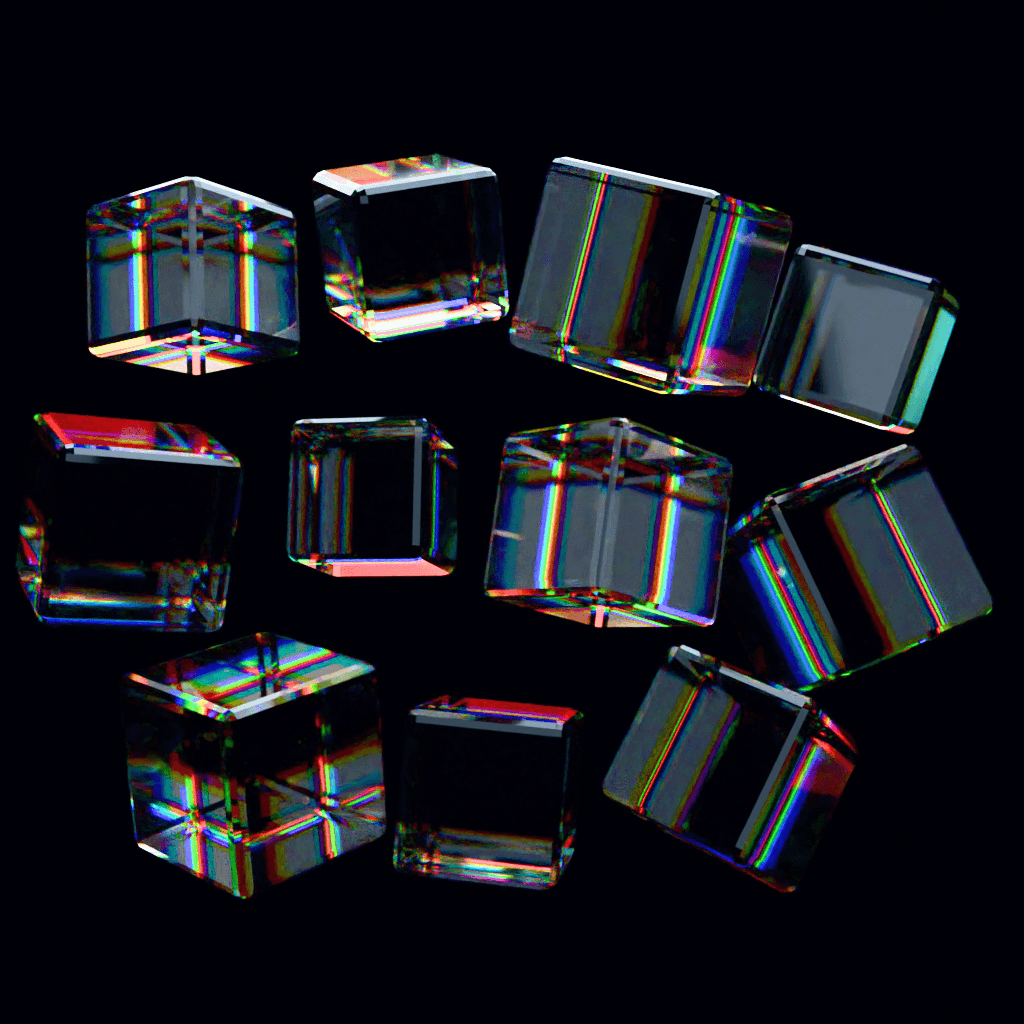
The Variant — Tinted to the Brand Palette
With the reference reproduced (mono), I went one step further. Attenuate the R filter to 45% and B to 80%, and all transmitted light leans mint. That is the direction of this site's brand color (#00DF82). A mint-toned key light and a teal-tinted black world tie it into the deep-green / neon-mint palette.
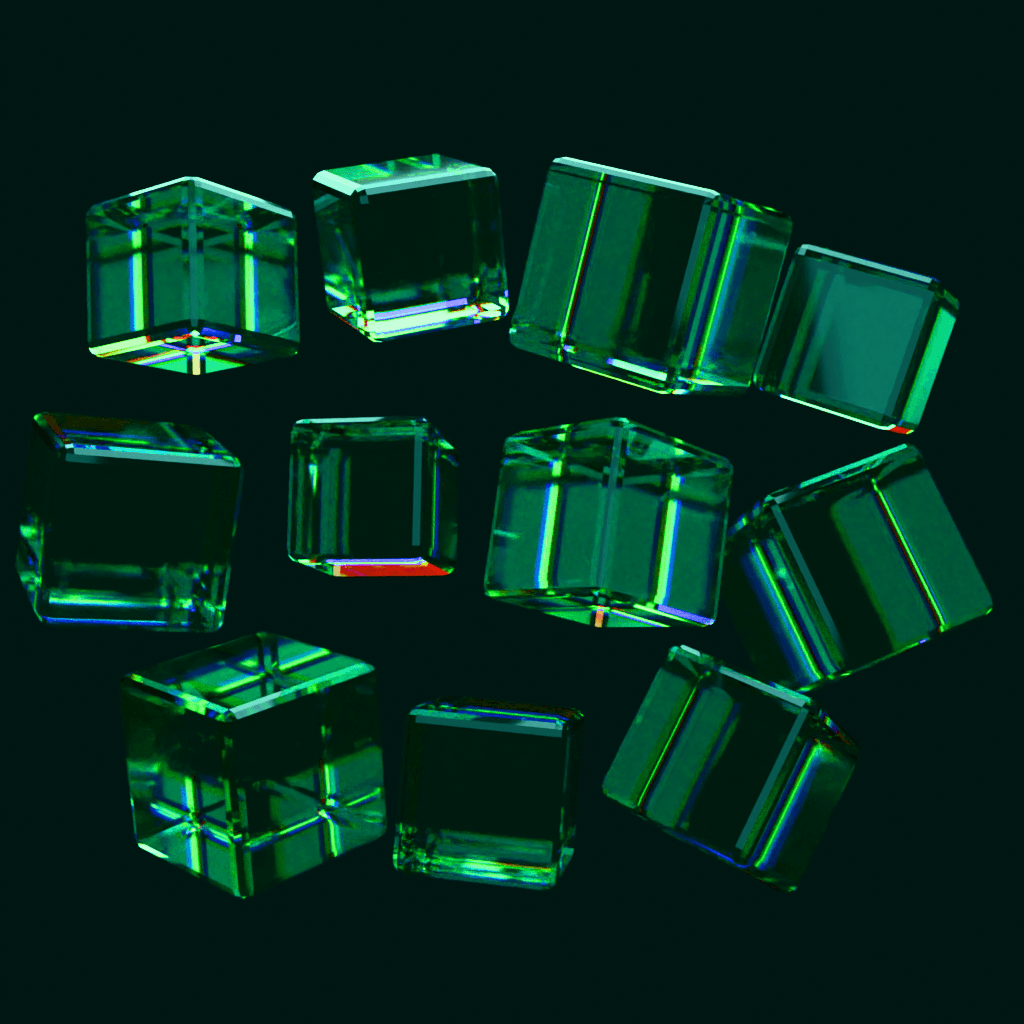
Same scene, same code, and one parameter dict yields two pieces. Code-built artwork costs nothing extra to vary.
What Remains
The generator script, renders and technique notes live in the Lab01-Cubes repository. One line, blender --background --python dispersion_cubes.py, lets anyone rebuild the same cube field.
This log has a bench outside 3D as well, a grid field study analyzing and reproducing Processing-style generative art. 3D or 2D, the method stays the same: pick a striking visual, decode its principles and rebuild it in code.
- Also in this log: Grid Field Study, an Homage to @seohyo
- Where the pipeline began: Fifteen 3D Icons Carved in Code